
Painting app for kids: explore Painting ASMR
Painting ASMR is a painting app for kids and people who enjoy coloring. The Android app has 236 pages, flexible brushes and a way to paint your own photos. You can get it on Google Play.
Get it on Google PlayWhat is Painting ASMR?
Painting ASMR brings painting and coloring to your phone. Its purpose is to let you paint, color and unwind. You can choose from 236 pages or paint your own photos. Flexible brushes give you another part of the painting process to explore.
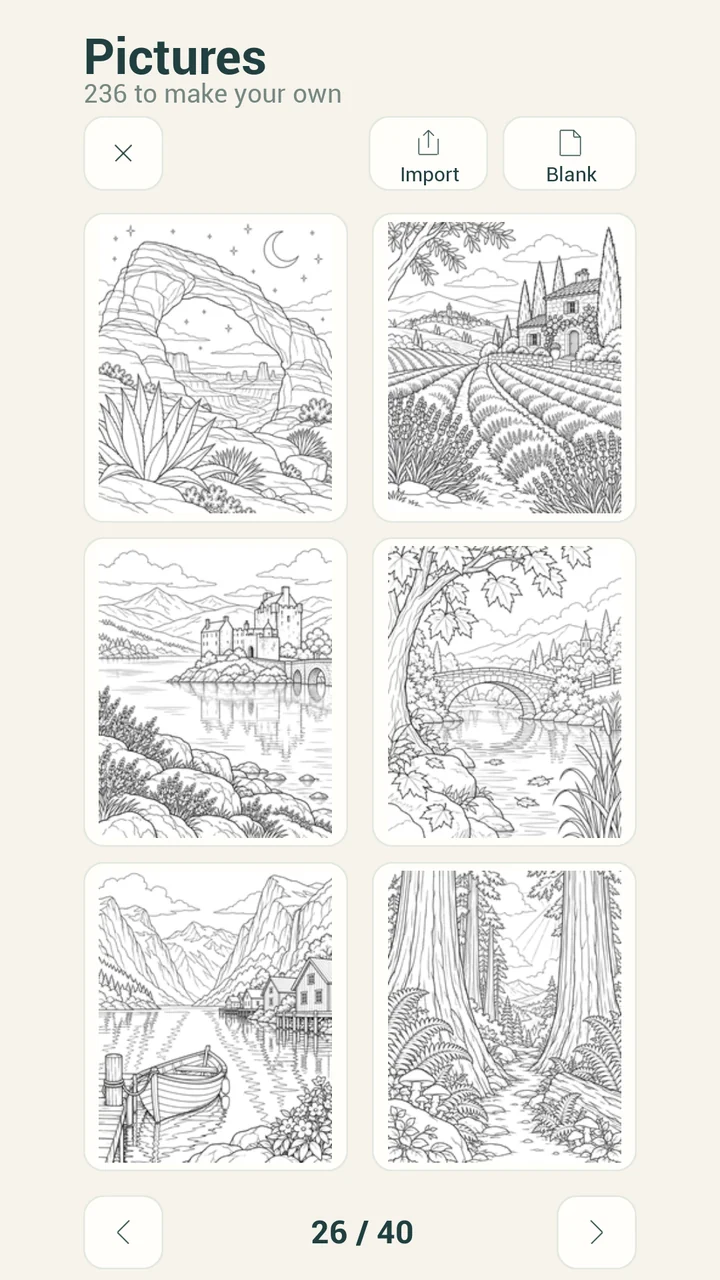
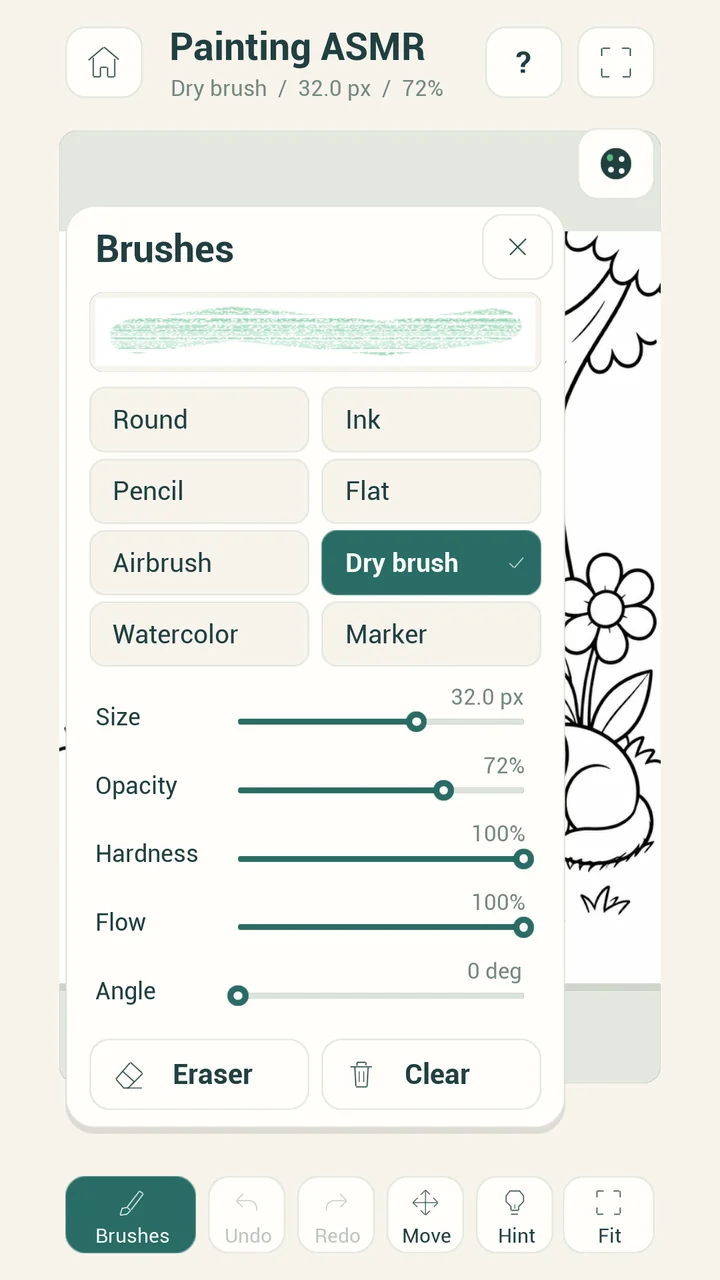
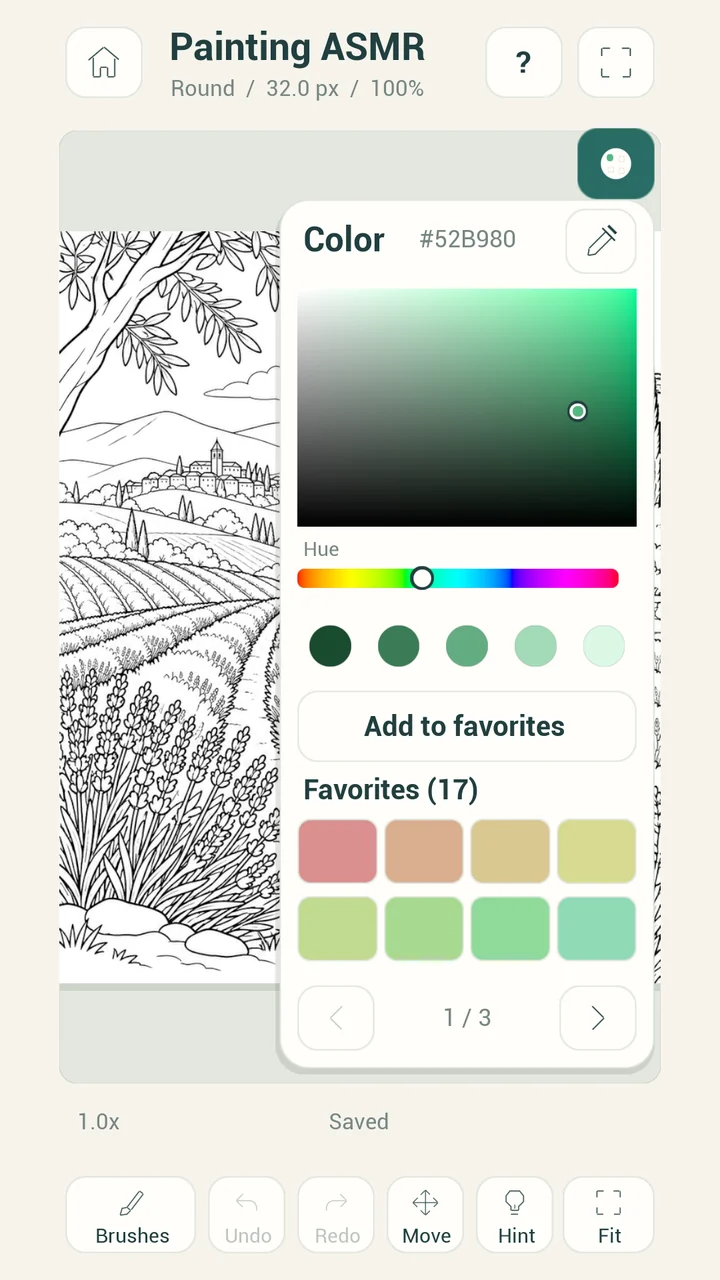
The screens show a calm cream background, green controls and large pictures. The Pictures screen presents a grid of line drawings. A brush panel shows choices alongside sliders. A color panel shows a color area, a hue strip and saved color swatches.
If you are choosing a painting app for kids, look at the screen layout together. Pick a picture that interests the child. You can use the gallery and brush screenshots here to see the kind of painting controls the app presents.
Key facts
- Platform
- Android
- Pages
- 236
- Brushes
- Flexible brushes
- Your photos
- Paint your own photos
- Publisher
- JAGC
How do you start painting and coloring?
- Choose a page or your own photo.
Painting ASMR has 236 pages and supports painting your own photos. The Pictures screen shows line drawings and an Import button at the top.
- Look at the drawing.
Choose a part of the picture you want to paint. The gallery screenshot shows scenes with trees, buildings and landscapes. Use the picture itself to guide your color choices.
- Explore the brushes.
Open the visible Brushes control to see the brush panel. The screenshot shows brush choices and settings such as Size and Opacity.
- Choose a color.
The color panel shows a hue strip and a larger color area. It also shows an Add to favorites button and a group of color swatches.
- Paint and look at the result.
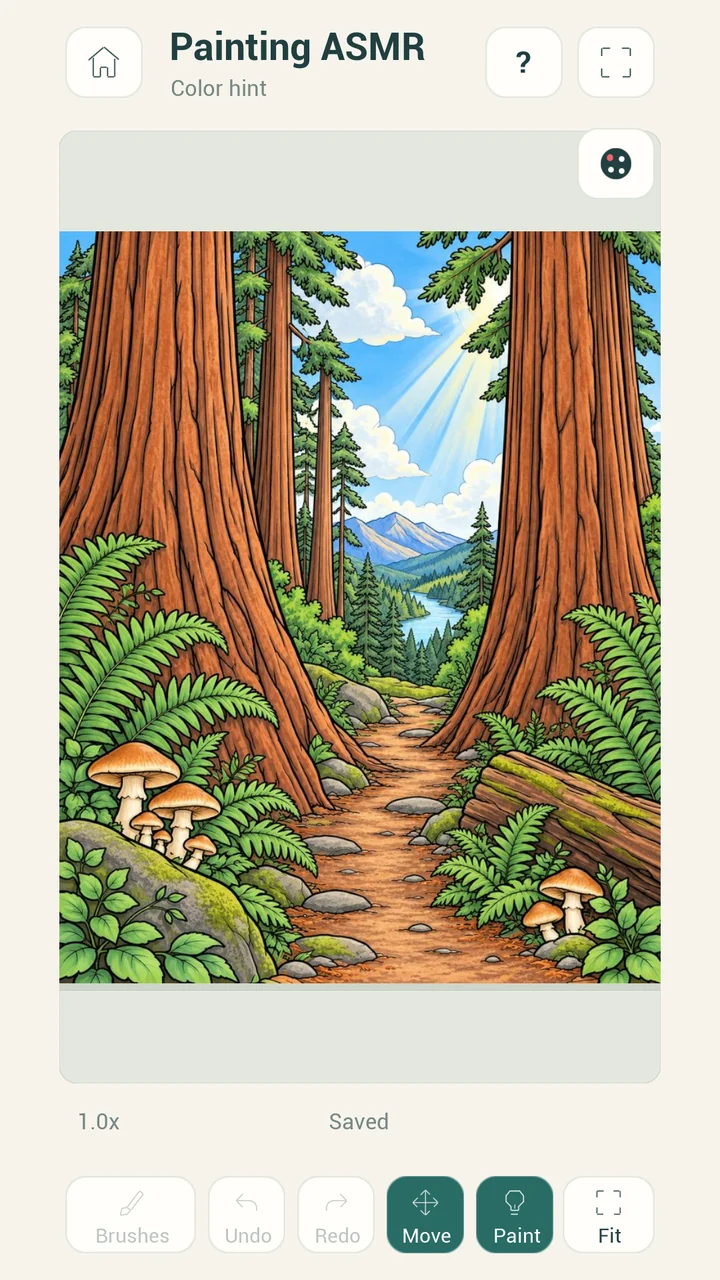
Bring the page and your color choices together. The Color hint screen shows a colored forest scene and a Paint control. Take a look before choosing another area.
You do not have to begin with a complicated picture. For example, a parent and child could choose a drawing together. They could talk about the colors they want to use. Start with a color you like, then choose where to use it in the picture.
Watch Painting ASMR
Watch the trailer for a look at Painting ASMR. Then inspect the gallery, brush panel and color panel below. These real app screens show how the pictures and controls sit together.
Painting ASMR screenshots
An ASMR coloring app to paint, color and unwind
Painting ASMR is built around relaxing ASMR coloring. The central activity is painting a picture, choosing colors and seeing those choices on the page. If you want a relaxing painting game, that simple activity is the reason to look closer.
A satisfying painting app can mean different things to different people. You may enjoy filling a landscape with color. Someone else may prefer exploring a brush setting. Painting ASMR gives you pages, flexible brushes and personal photos as starting points.
Choose the part of painting you enjoy most. The screenshots help you judge the visible controls before you open Google Play. Look at how much of the picture stays in view and where the brush and color panels appear.
Want a color your own photos app?
Painting ASMR lets you paint your own photos. That gives you a personal image to work with alongside the 236 pages. The Pictures screen includes an Import button, which gives you a place to start with a photo.
For example, you could choose a photo you would like to paint. The photo is your starting point; your colors and brush choices guide what you do next. This is useful when you want a familiar subject instead of choosing a line drawing.
If you want a coloring pages app, start by looking at the picture grid. If your main interest is your own images, consider the photo painting feature. Both belong to the same app, with flexible brushes for painting.
Which traits matter in a coloring app for Android?
Think about what you want to paint before choosing an app. A page collection, brush controls and personal photos serve different interests. This table lists Painting ASMR traits so you can compare them with the painting session you have in mind.
| Trait to consider | Painting ASMR |
|---|---|
| Starting pictures | 236 pages |
| Brush choice | Flexible brushes |
| Personal subjects | Paint your own photos |
| Main activity | Paint, color and unwind |
| Style of activity | Relaxing ASMR coloring |
The table is a way to match the app to your interests. A child may want to choose a picture with a parent. Another person may want to paint a familiar photo. Look at the screens to see whether the visible tools appeal to you.
Frequently asked questions
What painting app for kids can I look at on Android?
Painting ASMR is a painting app for kids and people who enjoy coloring. It has 236 pages and flexible brushes. You can see its screens here and open Google Play.
Is Painting ASMR an ASMR coloring app?
Yes. Painting ASMR offers relaxing ASMR coloring. Its focus is to paint, color and unwind, with pages, flexible brushes and your own photos to paint.
Can I color my own photos in an app?
Painting ASMR lets you paint your own photos. The Pictures screen also shows an Import button. Personal photos give you another starting point alongside the page collection.
How many pages does Painting ASMR have?
Painting ASMR has 236 pages. The Pictures screen shows a grid of line drawings, including landscape scenes. You can inspect that screen in the gallery above.
Does Painting ASMR have flexible brushes?
Yes. Painting ASMR has flexible brushes. Its brush panel visibly includes brush choices and controls for settings such as Size and Opacity.
Who might enjoy a relaxing painting game?
Painting ASMR suits people who want to paint, color and unwind. It may appeal if you enjoy choosing colors, exploring brush controls or painting your own photos.
Where can I get Painting ASMR?
Painting ASMR is an Android app on Google Play. Use the Google Play button to view its listing. Painting ASMR is published by JAGC.
Get Painting ASMR on Google Play
Explore Painting ASMR if you want a coloring pages app with flexible brushes and your own photos to paint. View the app on Google Play to take the next step. The gallery and trailer above give you a look at its painting screens first.
Get it on Google Play